
How to Submit a Graduate Transfer Credit Evaluation in MyGeorgeFox
Please verify that an official transcript is already on file with the Registrar’s Office prior to submitting this form.
- Log into MyGeorgeFox (my.georgefox.edu) using your GFU username and password.
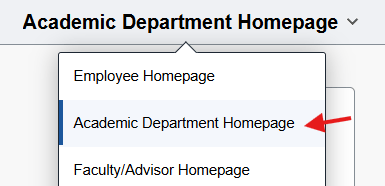
- Change top dropdown menu to Academic Department Homepage Tile.
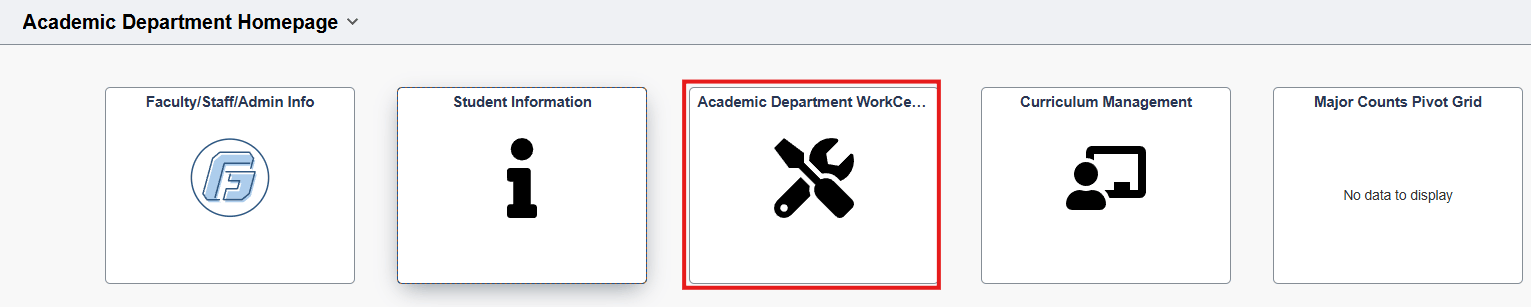
- Select the Academic Department WorkCenter Tile
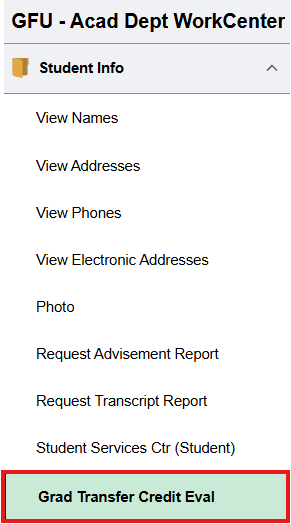
- Under the Student Info menu section, click “Grad transfer credit eval”.
- Complete the Graduate Transfer Credit Evaluation eForm. Be sure to click Submit when you’re finished.
- The Registrar’s Office Enrollment Manager who oversees your program will receive this request and follow up once evaluated.