
How to Access the Student Major List in MyGeorgeFox
- Log into MyGeorgeFox (my.georgefox.edu) using your GFU username and password.
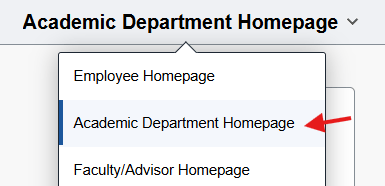
- Change top dropdown menu to Academic Department Homepage.
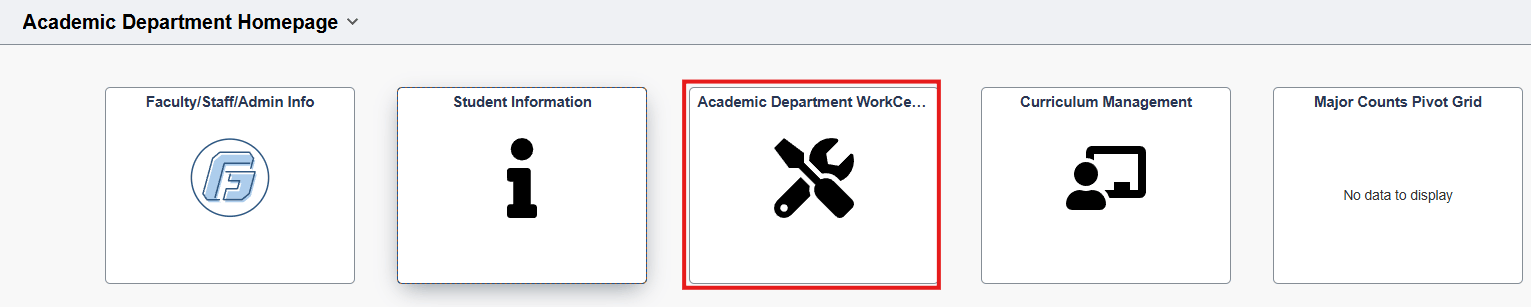
- Select the Academic Department WorkCenter Tile.
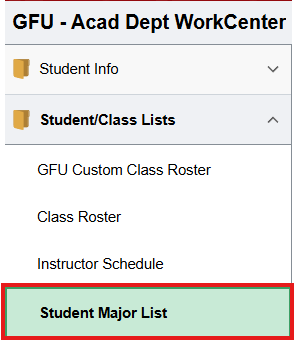
- Select Click Student/Class Lists to expand. Then select Student Major List.
- Enter the term code (ie. 2261 for Fall 2026). Then click the magnify glass next the Academic Organization field.
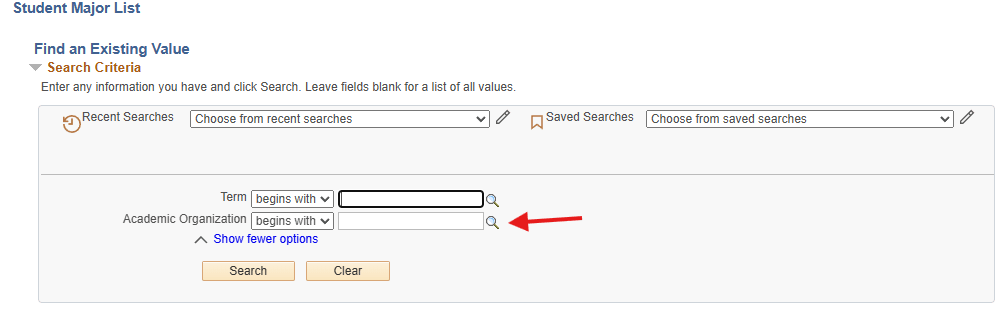
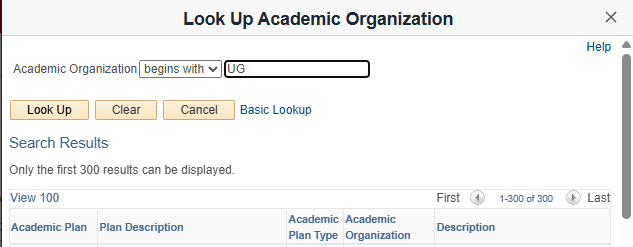
- Type ‘UG’ if you’re looking for a Traditional Undergrad department, or 'GR' for a Graduate department. This will narrow the list to only show departments applicable to you. Click Look Up. Then select the department that corresponds with the Plan Description you need.
- Click Search. You’ll be provided with a list of students with the selected major/minor.
- To export the list into an Excel doc, click the small ‘spreadsheet’ icon at the top of the results and it will download as an Excel.
