How to View an Advisement Report in MyGeorgeFox
- Log into MyGeorgeFox (my.georgefox.edu) using your GFU username and password.
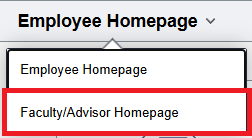
- Navigate to the Faculty/Advisor Homepage
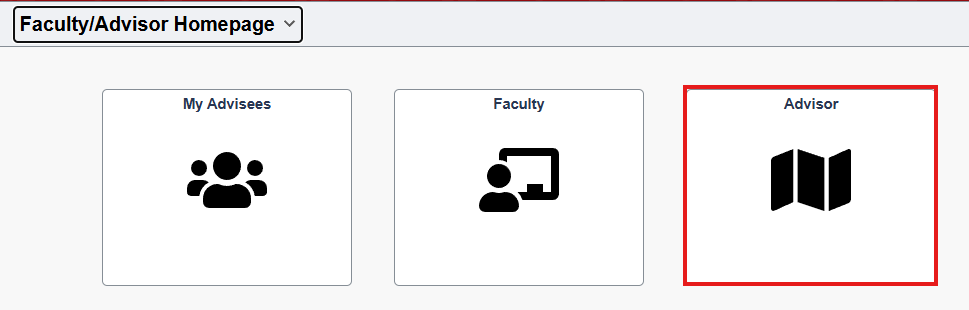
- Select Advisor Tile
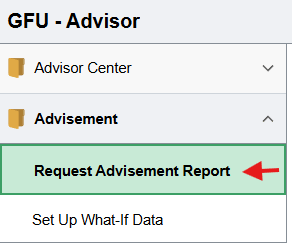
- Click Request Advisement Report under Advisement in the left menu.
- Click Add a New Value.
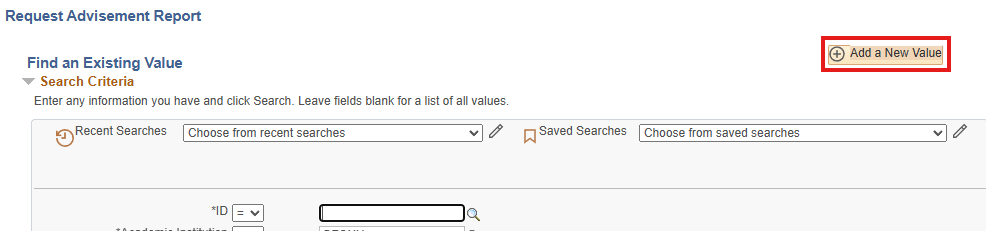
- Enter the student ID number and Report Type as ADV then click Add.

- Click Process Request button.
- The result will show the student’s academic advisement audit report.
Finding a Student ID Number
- Go to Faculty/Advisor Homepage.
- Click My Advisees tile.
- A student’s seven digit ID number is listed next to their name.
