
How to Access Faculty Exam Schedule in MyGeorgeFox
- Log into MyGeorgeFox (my.georgefox.edu) using your GFU username and password.
- Navigate to the Faculty/Advisor Homepage
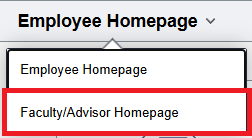
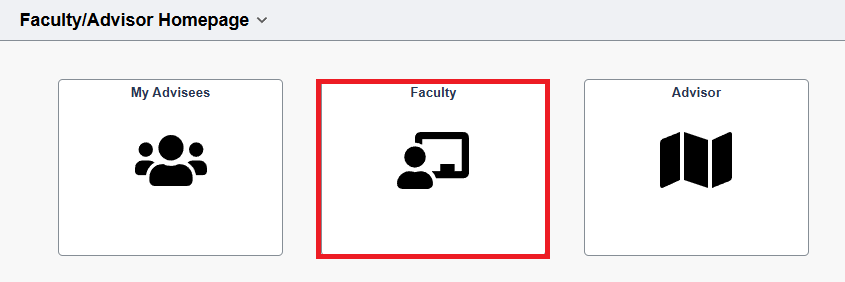
- Select Faculty Tile
- Select My Schedule from the left menu.
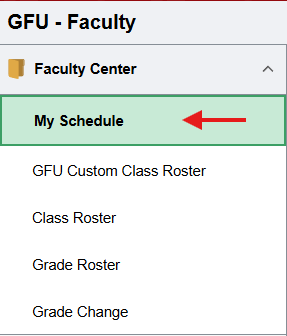
- Your Final Exam Schedule will be posted at the bottom of the screen under the My Exam Schedule heading once it’s established (it is usually posted around the 5th week of class).
